AI Sound Bites
#000
Element Prototype — This page shows every available element type. The purple LABELS are prototype annotations only — they won't appear in real sound bites.
Header Variations

Compare these options — pick one for production sound bites.

STYLE A — Icon + product name (current)
AI Sound Bites
#001
STYLE B — Full logo with "People-First Business A.I."
CHaiMPION — People-First Business A.I. #001
AI Sound Bites
STYLE C — Full logo + product name on same line
CHaiMPION | AI Sound Bites
#001
STYLE D — Stacked: company above, product below
CHaiMPION
AI Sound Bites
#001
STYLE E — Minimal text only
CHaiMPION / AI Sound Bites
#001
Typography + Section Numbering

Numbers are subtle grey, monospace. Click any number to get an anchor link (e.g. #s2.0). Say "look at 3.1" in conversation.

3 min read · March 2026 · Prototype

1.0 H1: The Main Title Goes Here

Subtitle: A one-line summary that hooks the reader and previews the content below.

Body text with bold emphasis and italic for nuance. Links look like this. Body text should be comfortable to read on mobile and desktop — not too wide, not too dense.

1.1 H2: Section Heading

Section headings break the content into scannable chunks. Each Sound Bite has 3-4 sections max.

1.2 H3: Sub-section

Sub-sections for when you need one more level of nesting. Use sparingly.

Example Blocks

2.0 Contrast Examples

Before / Vague
"Tell me about AI in healthcare"
After / Precise
"I'm a CEO of a 200-person aged care provider in New Zealand. What are the three most impactful AI use cases my competitors are already deploying?"
<div class="example example-bad">
  <div class="example-label">Before / Vague</div>
  <div class="example-text">"Bad example"</div>
</div>

<div class="example example-good">
  <div class="example-label">After / Precise</div>
  <div class="example-text">"Good example"</div>
</div>
What it does: Side-by-side (stacked) before/after comparison. Red-tinted "bad" example followed by green-tinted "good" example.
Use when Showing the difference a good prompt makes. The visual contrast (red vs green) is instant — the reader gets the point before reading the text.
Not ideal when Both examples are valid alternatives (use a comparison table instead). Or when you have 3+ examples — stick to one bad/good pair for clarity.
  • .example-bad = red tint, .example-good = green tint
  • Labels are customisable: "Before/After", "Weak/Strong", "Generic/Specific"
  • Keep examples short — one sentence each is ideal
Callouts & Quotes

3.0 Key Takeaway

The difference? Context (who you are), specificity (what exactly you want), and constraints (scope it down).

<div class="takeaway">
  <span class="takeaway-icon">&#9670;</span>
  <p>Your key point here.
    Use <strong>bold</strong> for emphasis.</p>
</div>
What it does: Highlighted callout box for the single most important point. Diamond icon signals "this is the takeaway."
Use when One core insight the reader must remember. Place after the evidence/examples that support it. Limit to one per Sound Bite section.
Not ideal when You have multiple points to highlight (use a numbered list). Or for quotes with attribution (use blockquote 3.1).
  • Keep to 1-2 sentences max
  • Bold the key terms inside the takeaway
  • One takeaway per section — if you need more, the section is too broad

3.1 Blockquote

"The executives who get the most from AI aren't technical. They're just precise communicators." — AI Sound Bites #001
<blockquote>
  "Quote text here."
  <cite>— Attribution</cite>
</blockquote>
What it does: Styled quote with left border accent and attribution. For memorable statements worth calling out.
Use when Quoting a person, a source, or a previous Sound Bite. Attribution in <cite> adds credibility.
Not ideal when It's your own key point (use Key Takeaway 3.0 instead). Or for long passages — blockquotes should be punchy, 1-2 sentences.
Lists

4.0 Numbered List

  1. Open ChatGPT, Claude, or Gemini
  2. Paste the prompt below
  3. Compare the result to your usual approach
<ol>
  <li>Step one</li>
  <li>Step two</li>
  <li>Step three</li>
</ol>
What it does: Standard numbered list. Numbers imply sequence — do these in order.
Use when Steps must be followed in order. Instructions, processes, ranked items.
Not ideal when Items are unordered tips or attributes (use bullet list). Or for long multi-step processes (use Kaleidoscope carousel with visual steps).

4.1 Bullet List

  • Context — who you are and what you're working on
  • Specificity — what exactly you want back
  • Constraints — scope it down so the AI doesn't ramble
<ul>
  <li><strong>Term</strong> — definition</li>
  <li><strong>Term</strong> — definition</li>
</ul>
What it does: Unordered bullet list. No implied sequence — items are peers.
Use when Listing attributes, features, tips, or options. <strong> + em-dash pattern works well for term-definition pairs.
Not ideal when Items have an order (use numbered list). Or for 2+ column comparisons (use a table).
Table

5.0 Comparison Table

Tool Best For Free? Speed
Claude Long documents, analysis Yes (limited) Fast
ChatGPT General tasks, browsing Yes (limited) Fast
Perplexity Research with sources Yes Medium
<table>
  <thead>
    <tr>
      <th>Column 1</th>
      <th>Column 2</th>
    </tr>
  </thead>
  <tbody>
    <tr>
      <td>Data</td>
      <td>Data</td>
    </tr>
  </tbody>
</table>
What it does: Clean comparison table with striped rows and sticky header. Full-width within the content column.
Use when Comparing 2-5 items across multiple attributes. Quick-scan format — the reader can find what they need in seconds.
Not ideal when Data is a single attribute per item (use a bullet list). Or for large datasets (use a Google Sheets embed instead).
  • Keep to 3-5 columns max for mobile readability
  • First column is usually the item name
  • Short values — "Yes", "Fast", not full sentences
Image

6.0 Inline Image with Caption

Placeholder image
Figure 1: A descriptive caption explaining what the image shows and why it matters.

6.1 Real Image Example

CHaiMPION — People-First Business A.I.
Figure 2: CHaiMPION brand logo served from Cloudinary CDN. Real content — not a placeholder.

6.2 Image Grid (Tiles + Lightbox Popup)

Click any tile to open the full-size image. Use for screenshots, diagrams, before/after comparisons.

Screenshot 1
Screenshot 2
Screenshot 3
Screenshot 4
Screenshot 5
Screenshot 6
<div class="img-grid img-grid-2x3" id="grid-1">
  <div class="img-grid-tile"
    onclick="openLightbox('grid-1', 0)">
    <img src="screenshot-1.png" alt="Screenshot 1"
      data-caption="Caption for lightbox">
  </div>
  <!-- repeat for each tile -->
</div>

<!-- Grid variants: -->
<!-- img-grid-2x2 = 4 tiles (2 cols) -->
<!-- img-grid-2x3 = 6 tiles (2 cols) -->
What it does: Clickable thumbnail grid that opens a fullscreen lightbox with prev/next navigation.
Use when Showing multiple screenshots, before/after comparisons, UI flows, or any set of related images. Grid shows everything at once for browsing.
Not ideal when Images need to be viewed in sequence with narration (use Kaleidoscope carousel). Or when there's only 1-2 images (just stack them inline).
vs Kaleidoscope: Grid = browse freely. Kaleidoscope = guided narrative. Both open into the same fullscreen lightbox.
  • img-grid-2x3 = 6 tiles (2 cols), img-grid-2x2 = 4 tiles
  • data-caption on each img shows in the lightbox
  • Lightbox has prev/next buttons + keyboard arrow navigation
  • Images scale to 96vw × 94vh in lightbox (nearly fullscreen)
  • Use consistent aspect ratios across tiles for a clean grid

6.3 Kaleidoscope (Click-Through Carousel)

Use the arrow buttons to navigate. Dots show position. Great for step-by-step walkthroughs.

<div class="kaleidoscope" id="carousel-1">
  <div class="kaleidoscope-track">
    <div class="kaleidoscope-slide active">
      <img src="step-1.png" alt="Step 1">
    </div>
    <div class="kaleidoscope-slide">
      <img src="step-2.png" alt="Step 2">
    </div>
    <!-- more slides... -->
    <button class="kaleidoscope-prev"
      onclick="carouselNav('carousel-1', -1)">&#8249;</button>
    <button class="kaleidoscope-next"
      onclick="carouselNav('carousel-1', 1)">&#8250;</button>
  </div>
  <span class="kaleidoscope-counter">1 / 5</span>
  <div class="kaleidoscope-dots">
    <span class="kaleidoscope-dot active"
      onclick="carouselGo('carousel-1', 0)"></span>
    <!-- one dot per slide -->
  </div>
</div>
What it does: Click-through carousel with crossfade transitions. Shows one image at a time with dot navigation and counter pill.
Use when Step-by-step tutorials, before/after sequences, guided walkthroughs where order matters. Best with 3-7 slides.
Not ideal when User needs to compare images side-by-side (use grid instead). Or when there are 2 or fewer images (just stack them).
vs Image Grid: Grid shows everything at once — good for browsing. Kaleidoscope controls the narrative — good for teaching. Both open into the same fullscreen lightbox experience.
  • Images should be same aspect ratio (16:9 recommended)
  • First slide should be the hook — make it count
  • Dots + counter provide orientation ("where am I?")
  • Arrow keys work when focused
Video

7.0 YouTube Playlist Embed

CHaiMPION playlist — full series. Prev/next controls built into the YouTube player.
<div class="video-block">
  <div class="video-wrapper">
    <iframe src="https://www.youtube.com/embed/
      videoseries?list={PLAYLIST_ID}"
      title="Playlist title"
      allowfullscreen loading="lazy"></iframe>
  </div>
  <div class="video-caption">Caption.</div>
</div>
What it does: Embedded YouTube playlist with built-in prev/next controls and playlist panel. Plays inline.
Use when You have a curated series of videos the reader should watch in order. Playlist embed keeps them on-page with YouTube's own navigation.
Not ideal when Videos are unrelated picks (use Video Grid cards instead). Or when you want custom thumbnails/titles (YouTube controls the look inside the player).
  • URL: youtube.com/embed/videoseries?list={PLAYLIST_ID}
  • Player shows playlist panel, prev/next, and video count
  • 16:9 aspect ratio via .video-wrapper

7.1 Real YouTube Embed

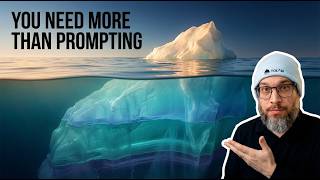
Nate Jones — Four Disciplines of Prompting. Plays inline.
<div class="video-block">
  <div class="video-wrapper">
    <iframe src="https://www.youtube.com/embed/{VIDEO_ID}"
      title="Video title"
      allowfullscreen loading="lazy"></iframe>
  </div>
  <div class="video-caption">Caption.</div>
</div>
What it does: Single YouTube video embed. Plays inline with YouTube's native controls.
Use when Featuring one specific video — a keynote clip, tutorial, or interview. The reader watches it right there without leaving.
Not ideal when You have multiple videos to showcase (use playlist embed or video grid). Or when the video is long >20min and you just need one clip (add ?start=120 to timestamp).
  • URL: youtube.com/embed/{VIDEO_ID}
  • Add ?start=N (seconds) to start at a specific timestamp
  • Same .video-block / .video-wrapper as all video embeds

7.2 Video Grid — 2 Wide

<div class="video-grid video-grid-2">
  <a class="video-card"
    href="https://www.youtube.com/watch?v={ID}"
    target="_blank">
    <div class="video-card-thumb">
      <img src="https://img.youtube.com/vi/{ID}/
        mqdefault.jpg" alt="Title">
      <div class="video-card-play"></div>
    </div>
    <div class="video-card-title">Title</div>
    <div class="video-card-meta">Author</div>
  </a>
  <!-- repeat -->
</div>
What it does: 2-column grid of video thumbnail cards. Each card opens the video in YouTube (new tab).
Use when Curating 2-4 related videos with full titles and metadata. Good for "recommended watching" sections. Cards open in YouTube rather than playing inline.
Not ideal when You want the video to play on the page (use inline embed 7.0/7.1). Or when you have 4+ videos and want compact layout (use 4-wide grid 7.3).
  • Thumbnails: img.youtube.com/vi/{ID}/mqdefault.jpg (320x180)
  • Play button overlay via .video-card-play CSS pseudo-element
  • .video-card-meta for author/source attribution
  • Cards are <a> tags — the whole card is clickable

7.3 Video Grid — 4 Cards (Title Only)

<div class="video-grid video-grid-4">
  <a class="video-card" href="..." target="_blank">
    <div class="video-card-thumb">
      <img src="...mqdefault.jpg" alt="">
      <div class="video-card-play"></div>
    </div>
    <div class="video-card-title">Title</div>
  </a>
  <!-- repeat x4 -->
</div>

<!-- Variants: -->
<!-- video-grid-2 = 2 columns, with meta -->
<!-- video-grid-4 = 4 columns, title only -->
What it does: Compact 4-column video grid. Title only (no meta line). Ideal for larger curated sets.
Use when Curating 4+ videos in a compact format. Works well for "further watching" or "related content" sections where space efficiency matters.
Not ideal when Videos need descriptions or attribution (use 2-wide grid). Or when there are only 2 videos — looks sparse in 4-col layout.
  • Same card pattern as 2-wide but without .video-card-meta
  • Thumbnails are smaller — titles should be concise (under ~40 chars)
  • All cards open in YouTube (new tab)

Grid cards open in YouTube (new tab). Use inline embed (7.0/7.1) when you want play-in-page. Use grid cards (7.2/7.3) for curated lists.

Integrations / Embeds

External content embedded inline. Each integration follows the same card pattern: border, responsive ratio, caption, and optional "Open in..." link.

7.5 Loom Video

Loom: CHaiMPION walkthrough recording. Open in Loom →
<div class="video-block">
  <div class="video-wrapper">
    <iframe src="https://www.loom.com/embed/{LOOM_ID}"
      title="Loom recording"
      allowfullscreen loading="lazy">
    </iframe>
  </div>
  <div class="video-caption">
    <span>Description here.</span>
    <a href="https://www.loom.com/share/{LOOM_ID}"
      target="_blank">Open in Loom &rarr;</a>
  </div>
</div>
What it does: Embedded Loom video with the same 16:9 responsive wrapper as YouTube. Plays inline with Loom's native controls.
Use when Sharing screen recordings, walkthroughs, async video explanations. Loom is ideal for "watch me do it" content where narration + screen matters.
Not ideal when Video is public/polished content (use YouTube). Or when the video is audio-only (consider a transcript or summary instead).
  • Embed URL: loom.com/embed/{ID} — ID from the share link
  • Uses same .video-block / .video-wrapper as YouTube
  • "Open in Loom" link for viewers who prefer the Loom player
  • Loom embeds include viewer analytics (who watched, how far)

7.6 Google Sheets (Read-only Embed)

Customer Feedback: AI-categorised sentiment analysis on jewellery purchases. Open in Sheets →
<div class="embed-block">
  <div style="position:relative; padding-bottom:60%;">
    <iframe src="https://docs.google.com/spreadsheets/d/e/
      {PUBLISHED_KEY}/pubhtml?gid=0&single=true
      &widget=true&headers=false"
      style="position:absolute; top:0; left:0;
        width:100%; height:100%; border:none;"
      loading="lazy"></iframe>
  </div>
  <div class="video-caption">
    <span>Description.</span>
    <a href="https://docs.google.com/spreadsheets/d/{ID}"
      target="_blank">Open in Sheets &rarr;</a>
  </div>
</div>
What it does: Read-only Google Sheets embed. Scrollable within the iframe. Shows real data with formatting intact.
Use when Showing data tables, survey results, AI-generated analysis, or any structured data that lives in Google Sheets. Great for "here's the output" evidence.
Not ideal when Data is simple enough for an HTML table (section 5.0). Or when you need the reader to edit — Sheets embeds are read-only.
  • Requires: File > Share > Publish to web first
  • Use the /e/2PACX-... published URL, not the edit URL
  • Aspect ratio: 60% padding-bottom (shorter than 16:9 video)
  • widget=true&headers=false gives a clean, minimal view
  • Add gid=0 for first sheet, or specific tab's gid

7.7 Google Slides (Presentation Embed)

Speed of Change: CEO quotes on AI acceleration — Nvidia, Microsoft, Tesla, YC, OpenAI. Open in Slides →
<div class="embed-block">
  <div style="position:relative; padding-bottom:59.5%;">
    <iframe src="https://docs.google.com/presentation/d/
      {PRESENTATION_ID}/embed?start=false
      &loop=false&delayms=3000"
      allowfullscreen loading="lazy"></iframe>
  </div>
  <div class="video-caption">
    <span>Description.</span>
    <a href="https://docs.google.com/presentation/d/{ID}"
      target="_blank">Open in Slides &rarr;</a>
  </div>
</div>
What it does: Embedded Google Slides presentation with native slide navigation. Viewers can click through slides inline.
Use when Sharing slide decks, visual frameworks, quote collections, or any presentation content. Especially good for "speed of change" evidence — CEO quotes, market data.
Not ideal when Slides have complex animations (they won't render in embed). Or when you need just one key slide — screenshot it and use an image block instead.
  • Publish to web first: File > Share > Publish to web > Embed
  • start=false — don't autoplay on load
  • loop=false — stop at last slide
  • delayms=3000 — 3s per slide if autoplay is on
  • Aspect ratio ~59.5% (16:10 landscape, slightly wider than video)
  • Fullscreen works via Google's own controls

7.8 FigJam Whiteboard

FigJam: MT-TVP whiteboard. Open in FigJam →
<div class="embed-block">
  <div style="position:relative; padding-bottom:56.25%;">
    <iframe src="https://embed.figma.com/board/
      {FILE_KEY}/{title}?node-id={NODE}
      &embed-host=share"
      allowfullscreen loading="lazy"></iframe>
  </div>
  <div class="video-caption">
    <span>Description.</span>
    <a href="https://www.figma.com/board/{FILE_KEY}/{title}"
      target="_blank">Open in FigJam &rarr;</a>
  </div>
</div>
What it does: Interactive FigJam whiteboard embed. Viewers can zoom and pan within the iframe.
Use when Sharing workshop outputs, brainstorming boards, process maps, or visual frameworks. FigJam is best for collaborative thinking artifacts.
Not ideal when The whiteboard is too complex to read at embed scale (screenshot + lightbox instead). Or when you need editing — embeds are view-only.
  • Embed URL: embed.figma.com/board/{FILE_KEY}/{title}
  • Requires "Anyone with link can view" sharing in Figma
  • node-id can target a specific frame/section
  • embed-host=share required for public embeds
  • 16:9 aspect ratio (56.25% padding-bottom)

7.9 Excalidraw Whiteboard

Excalidraw: CHaiMPION whiteboard diagram. Open in Excalidraw →
<div class="embed-block">
  <div style="position:relative; padding-bottom:56.25%;">
    <iframe src="https://link.excalidraw.com/
      readonly/{SHARE_ID}"
      allowfullscreen loading="lazy"></iframe>
  </div>
  <div class="video-caption">
    <span>Description.</span>
    <a href="https://link.excalidraw.com/readonly/{ID}"
      target="_blank">Open in Excalidraw &rarr;</a>
  </div>
</div>
What it does: Embedded Excalidraw whiteboard. The share link doubles as the embed src — no special embed URL needed.
Use when Sharing hand-drawn diagrams, architecture sketches, quick wireframes. Excalidraw's sketch style feels informal and approachable — great for workshop-style content.
Not ideal when Diagram needs precise, polished look (use FigJam or a static image). Or when the drawing has many small labels that won't be readable at embed scale.
  • Share link = embed src (read-only by default)
  • For collaborative: excalidraw.com/#room= (live editing)
  • Self-hosted: export .excalidraw JSON + render with npm package
  • 16:9 aspect ratio, same as FigJam

7.95 Google Doc (Published Document)

Google Doc: Published document — scrollable, read-only view. Open in Docs →
<div class="embed-block">
  <div style="position:relative; padding-bottom:80%;">
    <iframe src="https://docs.google.com/document/d/e/
      {PUBLISHED_KEY}/pub?embedded=true"
      loading="lazy"></iframe>
  </div>
  <div class="video-caption">
    <span>Description.</span>
    <a href="https://docs.google.com/document/d/e/{KEY}/pub"
      target="_blank">Open in Docs &rarr;</a>
  </div>
</div>
What it does: Published Google Doc embedded inline. Scrollable within the iframe, preserves Doc formatting.
Use when Sharing longer-form documents, reports, or guides that live in Google Docs. Good for "reference material" sections where the reader may want to scroll through.
Not ideal when Document content is short enough to include directly in HTML. Or when formatting matters critically — Docs embed rendering can differ from native view.
  • Requires: File > Share > Publish to web
  • Use /pub?embedded=true for the embed URL
  • Taller aspect ratio: 80% padding-bottom (4:5 portrait)
  • Scrolls within the iframe — no need for the reader to leave the page
  • Read-only — edits in the source Doc update the embed automatically

7.96 Resource Link Cards

Lightweight preview cards for services that don't support iframe embedding. Click to open the real thing.

GitHub
htrinter/Open-Multiple-URLs
Browser extension for opening multiple URLs at once. Useful for batch research workflows.
Open →
OneDrive
Project Files — Q1 Planning
Shared folder with team documents, templates, and meeting notes.
Open →
SharePoint
Team Site — AI Working Group
Internal wiki, process documents, and shared resources.
Open →
Google Drive
Client Deliverables — March 2026
Shared folder with final outputs, review copies, and approval docs.
Open →
Dropbox
Brand Assets — Photography
High-res images, logos, and brand guidelines for external use.
Open →
<div class="resource-card"
  onclick="window.open('https://...','_blank')">
  <div class="resource-icon" style="background:#24292e;">
    <svg>...</svg>
  </div>
  <div class="resource-body">
    <div class="resource-service">GitHub</div>
    <div class="resource-title">repo/name</div>
    <div class="resource-desc">Description...</div>
  </div>
  <div class="resource-action">Open &rarr;</div>
</div>
What it does: Compact clickable card that opens an external service. No iframe — just a styled link with service branding.
Use when Service blocks iframe embedding (GitHub, SharePoint, OneDrive, Dropbox). Or when the embed would be too heavy for a compact Sound Bite.
Not ideal when Content can be embedded live (use iframe embeds instead). Users need to see the content without leaving the page.
Supported services:
  • GitHub — repos, gists, issues, PRs
  • OneDrive — shared folders and files
  • SharePoint — team sites, wikis, lists
  • Google Drive — folders (individual files use their own embeds)
  • Dropbox — shared folders and file links
  • Any service — just change the icon/colour
Icon colours: Match the service's brand colour for instant recognition. Keep the icon SVG simple (monochrome white on coloured bg).

7.10 Integration Cheat Sheet

Service Embed Pattern Aspect Interactive?
YouTube youtube.com/embed/{ID} 16:9 Play controls
Loom loom.com/embed/{ID} 16:9 Play controls
Google Sheets .../pubhtml?widget=true 5:3 Scroll only
Google Docs .../pub?embedded=true 4:5 Scroll only
Google Slides .../embed?start=false ~16:9.5 Navigate slides
FigJam embed.figma.com/board/{KEY} 16:9 Zoom + pan
Excalidraw excalidraw.com/#json={ID},{KEY} 16:9 Zoom + pan
Code / Terminal

8.0 Terminal Command

terminal
# Scan your home folder python3 drive-fingerprint.py ~/Documents --person angus --save-db
<div class="code-block">
  <div class="code-header">
    <span>terminal</span>
    <button class="code-copy"
      onclick="copyCode(this)">Copy</button>
  </div>
  <div class="code-body">
    <span class="comment"># Comment</span>
    <span class="cmd">command</span> args
    <span class="flag">--flag</span>
    <span class="string">value</span>
  </div>
</div>
What it does: Styled terminal command block with syntax highlighting and copy button. Dark background signals "this is something you run."
Use when Showing a CLI command the reader should copy and run. Terminal blocks have .comment, .cmd, .flag, and .string spans for highlighting.
Not ideal when Showing source code (use Code Snippet 8.1). Or when the command is trivial and inline <code> would suffice.
  • Header shows language/context label + copy button
  • Copy button grabs .code-body text content
  • Use terminal label for shell commands, language name for code

8.1 Code Snippet

python
# Count files by extension from collections import Counter extensions = Counter(f.suffix for f in Path(".").rglob("*") if f.is_file())
<div class="code-block">
  <div class="code-header">
    <span>python</span>
    <button class="code-copy"
      onclick="copyCode(this)">Copy</button>
  </div>
  <div class="code-body">your code here</div>
</div>

<!-- Syntax spans: -->
<!-- .comment = grey (#888) -->
<!-- .cmd = blue (#4a90d9) -->
<!-- .flag = green (#6b9f78) -->
<!-- .string = orange (#c97b2e) -->
What it does: Source code block with language label and copy button. Same container as terminal but with a different header label.
Use when Showing source code examples, config files, or script snippets. The language label in the header tells the reader what they're looking at.
Not ideal when Code is a one-liner (use inline <code>). Or when it's a terminal command (use Terminal Command 8.0 — same block, different label).
  • Same .code-block component as terminal — only the header label differs
  • Manual syntax highlighting via spans (no JS library needed)
  • Keep snippets short — under ~10 lines for readability in a Sound Bite
Prompt Block (Nate Jones style)

9.0 Copy-able Prompt

Paste this prompt into any AI tool. It works standalone — no setup needed.

  View & Copy Prompt
I'm going to describe my role in one sentence. Based on that, I want you to: 1. Tell me the 3 most valuable things AI could do for someone in my position RIGHT NOW (not future hype — things that work today) 2. For each one, name a specific free tool I can try in the next 10 minutes 3. Give me the exact first step for each — what to click, what to type My role: [DESCRIBE YOUR JOB IN ONE SENTENCE] Keep it practical. I have 15 minutes and zero technical background.Copied!
<div class="prompt-toggle" onclick="togglePrompt(this)">
  <span><span class="arrow">&#8250;</span>
    View &amp; Copy Prompt</span>
  <button class="copy-btn"
    onclick="event.stopPropagation(); copyPrompt(this)">
    <svg>...</svg>
  </button>
</div>
<div class="prompt-content" id="prompt-1">
  Your prompt text here...
  <span class="copied-msg" id="copied-1">Copied!</span>
</div>
What it does: Expandable prompt block with one-click copy. Starts collapsed to save space — expands on click to reveal the full prompt text.
Use when Sharing a ready-to-paste prompt that works in any AI tool. The core deliverable of most Sound Bites. Should appear near the end, after the context that explains why the prompt matters.
Not ideal when Showing code examples (use code blocks instead). Or when the prompt needs customisation per-platform — pair with Smart Formula buttons (10.0) for that.
  • Keep prompts under ~200 words for mobile readability
  • Use [PLACEHOLDERS] in uppercase brackets for user-fill fields
  • Copy button appears on the toggle bar — always visible
  • "Copied!" confirmation fades in/out automatically
  • Pairs with section 10.0 (Smart Formula buttons) to open the prompt in specific AI tools
Smart Formula Buttons

10.0 Try This Prompt In...

<div class="ai-actions">
  <a class="ai-btn" id="link-claude"
    href="https://claude.ai/new?q={ENCODED_PROMPT}"
    target="_blank">
    <svg>...</svg> Try in Claude
  </a>
  <a class="ai-btn" id="link-chatgpt"
    href="https://chatgpt.com/?q={ENCODED_PROMPT}"
    target="_blank">
    <svg>...</svg> Try in ChatGPT
  </a>
  <a class="ai-btn" id="link-perplexity"
    href="https://perplexity.ai/?q={ENCODED_PROMPT}"
    target="_blank">
    <svg>...</svg> Try in Perplexity
  </a>
</div>

<script>
// Smart formula: encode prompt + inject into URLs
const prompt = document.getElementById('prompt-1')
  .textContent.trim();
const encoded = encodeURIComponent(prompt);
document.getElementById('link-claude')
  .href = 'https://claude.ai/new?q=' + encoded;
// ...same for chatgpt, perplexity
</script>
What it does: One-click buttons that open a specific AI tool with the prompt pre-filled. The "smart formula" — a URL template with variable substitution — is the core CHaiMPION product capability.
Use when You have a prompt block (9.0) and want to reduce friction to zero. The reader clicks one button and lands in their preferred AI tool with the prompt already loaded. Always pair with a prompt block above.
Not ideal when The prompt needs heavy customisation before use (placeholders that can't have defaults). Or when the Sound Bite is about comparing tools — then the prompt block alone is better.
URL patterns (smart formulas):
  • Claude: claude.ai/new?q={ENCODED}
  • ChatGPT: chatgpt.com/?q={ENCODED}
  • Perplexity: perplexity.ai/?q={ENCODED}
  • Gemini: gemini.google.com/app?q={ENCODED}
  • Buttons should match the prompt block directly above
  • SVG icons are monochrome (#888) — not brand colours — for consistency
  • All links open in new tab (target="_blank")
  • URL encoding happens in JS at page load — prompt text stays human-readable in HTML
Accordion / Expandable

11.0 Expandable Sections

What if I don't know which AI tool to use?
Start with whichever you have access to. Claude is great for long documents and analysis. ChatGPT is the most well-known and versatile. Perplexity is best when you need sources and citations. They all work for the prompts in this sound bite.
Do I need a paid subscription?
No. All three tools have free tiers that work for these prompts. Paid plans give you longer conversations and faster responses, but the free version is enough to see the difference a good prompt makes.
<div class="accordion">
  <div class="accordion-header"
    onclick="toggleAccordion(this)">
    <span>Question or heading?</span>
    <span class="arrow">&#8250;</span>
  </div>
  <div class="accordion-body">
    Answer or expanded content here.
  </div>
</div>
<!-- repeat for each item -->
What it does: Collapsible FAQ-style sections. Click the header to expand/collapse. Chevron rotates to indicate state.
Use when FAQs, objection handling, supplementary details the reader might not need. Great for keeping the page scannable while offering depth on demand.
Not ideal when Content is essential (don't hide critical info behind a click). Or when there's only one item — just show it inline.
  • Questions in header, answers in body
  • Multiple accordions stack — each operates independently
  • Keep answers concise (2-3 sentences ideal)
  • Place near end of Sound Bite — after the main content
New Cards

12.1 Steps (Circle-Numbered)

  1. Open Terminal.app and run the install command below.
  2. Launch the new app from Spotlight — Cmd+Space, type the name.
  3. Go to Settings → Profiles → Import and select the config file.
  4. Open a new tab (Cmd+T) to confirm it's working.
<ol class="steps-circle">
  <li>First step text here.</li>
  <li>Second step with <strong>bold</strong> text.</li>
  <li>Third step with <code>code</code> inline.</li>
</ol>
What it does: Numbered steps with blue circle counters (22px). Heavier visual weight than plain numbered lists — signals "do these in order."
Use when Sequential instructions where order matters. Installation guides, setup flows, multi-step processes. The blue circles draw the eye down the page.
Not when Items have no sequence (use bullet list). Items are optional or parallel (use got-list). More than 7 steps — break into sub-sections instead.
Variant of: Section 4.0 (Numbered List). Same content, different visual weight. Steps = "do this", List = "here are some things."

12.2 Download / Action Card

<a href="https://..." class="action-card" download>
  <div class="action-card-icon">
    <svg ...></svg>  <!-- download / doc / code icon -->
  </div>
  <div class="action-card-info">
    <div class="action-card-name">filename.json</div>
    <div class="action-card-meta">Type &middot; Size &middot; Source</div>
  </div>
  <div class="action-card-arrow">&darr;</div>
</a>
What it does: A clickable card that triggers an action — download a file, open a doc, clone a repo. Generic wrapper for any delivery mechanism.
Use when The reader needs to get a file, open a resource, or run a command. Works for Dropbox downloads, Google Docs links, git clone, Smart Formula launches. Change the icon colour to match the source (blue = default, Google blue, GitHub dark).
Not when Linking to reference reading (use regular link or link cards). Listing multiple resources for browsing (use resource link cards section 7.96).
Key insight: Download is a workflow, not a thing. This card is one delivery mechanism — the same content could arrive via Dropbox, Google Doc, Smart Formula, embedded preview, or git clone.

12.3 Author Card

Angus McGregor
Angus McGregor
Written for the CHaiMPION team
Hamish McGregor
Hamish McGregor
Founder, CHaiMPION
JS
Jane Smith
Fallback — no photo available
<!-- With Cloudinary photo -->
<div class="author-card">
  <img class="author-avatar"
    src="https://res.cloudinary.com/db9ofyw7h/image/upload/w_80,h_80,c_thumb,g_face,r_max,q_auto/soundbites/avatars/NAME.jpg"
    alt="Author Name">
  <div class="author-info">
    <div class="author-name">Author Name</div>
    <div class="author-role">Role or context</div>
  </div>
</div>

<!-- Fallback (no photo) -->
<div class="author-card">
  <div class="author-avatar-fallback">JS</div>
  <div class="author-info">
    <div class="author-name">Jane Smith</div>
    <div class="author-role">Role</div>
  </div>
</div>
What it does: Shows who wrote the Sound Bite. Photo via Cloudinary face-crop (circular, 40px). Falls back to initials on coloured circle if no photo.
Use when Every Sound Bite should have one. Goes in the Landing layer, right after the subtitle. The photo makes it personal — this came from a real person, not a system.
Not when The Sound Bite is system-generated with no human author. In that case, use brand avatar or omit entirely.
Cloudinary URL pattern: w_80,h_80,c_thumb,g_face,r_max,q_auto — face detection + circular crop, on-the-fly.

12.4 Got-list (Checkmarks)

What you've got after this section:

  • Dark charcoal background with soft white text (easy on eyes)
  • Custom colour palette tuned for readability with Claude Code
  • Monaco 14pt font with slightly increased line spacing
  • Shell integration enabled for smart command tracking
<ul class="got-list">
  <li>First outcome or deliverable</li>
  <li>Second thing they now have</li>
  <li>Third benefit or result</li>
</ul>
What it does: List with green checkmark prefixes. Signals "here's what you've achieved" or "here's what's included."
Use when Summarising outcomes after a section — "what you've got." Also good for feature lists, inclusion lists, package contents. The green ticks feel rewarding.
Not when Items are instructions (use steps). Items have no completion/outcome meaning (use bullet list). Items need numbering (use numbered list).
Variant of: Section 4.1 (Bullet List). Same structure, different prefix. Bullets = neutral list, Got-list = achievement/inclusion list.

12.5 Callout Box

Tip: The default directory is set to Angus's workspace. Update it to yours: Settings → Profiles → General → Working Directory
Heads up: This requires admin access. If you don't have it, ask your team lead to run this step for you.
Warning: This will overwrite your existing profile. Export your current settings first if you want to keep them.
<!-- Default (blue — tip/info) -->
<div class="callout">
  <strong>Tip:</strong> Your callout text here.
</div>

<!-- Warning (amber) -->
<div class="callout callout-warn">
  <strong>Heads up:</strong> Warning text here.
</div>

<!-- Danger (red) -->
<div class="callout callout-danger">
  <strong>Warning:</strong> Critical warning here.
</div>
What it does: Coloured left-border box for tips, warnings, and critical alerts. Three variants: blue (default/tip), amber (heads-up), red (danger).
Use when Breaking the reader's flow to flag something important. Tips that save time, gotchas that prevent mistakes, warnings about destructive actions.
Not when The insight is the main point (use takeaway with diamond icon). Long explanations (use regular paragraphs). Quoting someone (use blockquote).
Variant of: Section 3.0 (Takeaway). Takeaway = insight with diamond icon. Callout = practical tip/warning with coloured border.

12.6 Folder Structure

project/ ├── src/ │ ├── index.ts # entry point │ ├── config.ts # environment config │ └── utils/ │ ├── helpers.ts │ └── constants.ts ├── tests/ │ └── index.test.ts ├── package.json ├── tsconfig.json └── .gitignore
<div class="folder-tree"><span class="folder">project/</span>
├── <span class="folder">src/</span>
│   ├── <span class="file">index.ts</span>    <span class="comment"># note</span>
│   └── <span class="file">config.ts</span>
├── <span class="file">package.json</span>
└── <span class="file">.gitignore</span></div>
What it does: Monospace tree view like tree command output. Dark background like code blocks. Folders in blue, files in green, comments in grey.
Use when Showing project structure, file layout, or any hierarchical tree. Helps readers orient before diving into specific files. Essential for setup/onboarding Sound Bites.
Not when Showing a single file path (use inline code). Showing command output (use terminal block). The tree is more than ~15 items — consider splitting.
New component — no existing variant. Uses same dark bg as code blocks for visual consistency.

12.7 Feature Grid (2×2)

Cmd+F
Search your output
Find something Claude gave you 200 lines ago. Terminal.app can't do this.
Cmd+D
Split screen
Run two things side by side — Claude Code in one panel, a preview in the other.
Cmd+Opt+A
Alert when done
Long task running? Get a macOS notification when it finishes.
Cmd+Shift+H
Paste history
Searchable history of everything you've copied or pasted.
<div class="feature-grid">
  <div class="feature-card">
    <div class="feat-key">Shortcut</div>
    <div class="feat-title">Feature Name</div>
    <div class="feat-desc">One-line description.</div>
  </div>
  <!-- repeat for 2-4 cards -->
</div>
What it does: 2-column grid of feature cards, each with a keyboard badge, title, and description. Collapses to single column on mobile.
Use when Showcasing 2-4 key features or selling points. The "payoff" section — after the reader has done the work, show them what they gained. Keyboard badges work for shortcuts; swap for icons or emoji for non-keyboard features.
Not when More than 4 items (becomes cluttered — use a table). Items need detailed descriptions (use regular sections). Items are video thumbnails (use video grid 7.2/7.3).
Variant of: Sections 7.2/7.3 (Video Grid). Same grid layout, different card content. Feature cards have badge + title + desc instead of video thumbs.

12.8 Key Table (Shortcuts)

ShortcutAction
Navigation
Cmd+TNew tab
Cmd+WClose tab/panel
Cmd+NumberJump to tab
Split Screen
Cmd+DSplit side by side
Cmd+Shift+DSplit top and bottom
Cmd+] / [Switch between panels
Productivity
Cmd+FSearch output
Cmd+Shift+HPaste history
Cmd+KClear screen
<table class="key-table">
  <thead>
    <tr><th>Shortcut</th><th>Action</th></tr>
  </thead>
  <tbody>
    <tr><td colspan="2" class="group-label">Group Name</td></tr>
    <tr><td><span class="key">Cmd+X</span></td><td>Description</td></tr>
  </tbody>
</table>
What it does: Table with grouped rows and monospace keyboard-style badges. Group labels (uppercase, grey) separate logical categories.
Use when Listing keyboard shortcuts, CLI commands, or any key-value pairs that benefit from grouping. The "cheat sheet" at the end of a Sound Bite. Great for reference material.
Not when Comparing two things side by side (use comparison table section 5.0). Data has 3+ columns (use standard table). Items need visual emphasis (use feature grid).
Variant of: Section 5.0 (Comparison Table). Same table structure, different styling. Key table has grouped rows + keyboard badges. Comparison table has header row + cell content.

12.9 Email Preview

<div class="email-preview">
  <div class="email-preview-header">
    <div class="email-preview-subject">Subject line</div>
    <div class="email-preview-meta">From: Name &middot; To: you</div>
  </div>
  <div class="email-preview-body">
    <p>Hey {{first_name}},</p>
    <p>Email body text...</p>
    <a href="#" class="email-preview-cta">CTA text &rarr;</a>
  </div>
</div>
What it does: Mock email showing the hook — subject, preview text, body, CTA button. A meta-component for internal planning and review.
Use when Planning the email hook for a Sound Bite. Internal review of how the email will look before sending. Stage 0 (Email Hook) of the Sound Bite anatomy. Supports {{first_name}} personalisation tokens.
Not when Displaying actual email content to the end reader (this is a planning tool). The Sound Bite is only shared via link, not email.
New component — no existing variant. This is a meta-component that exists to design the delivery, not part of the delivery itself.

12.10 Related Sound Bites

Reactions & Feedback
Was this useful?

Want us to go deeper on this?

We'll send you a follow-up with more detail on this topic.

Got it — we'll follow up with more detail.